Webiny vs Webflow
Webflow is brilliant for fast, beautiful marketing sites.
Webiny gives you visual editing plus full backend control, multi-tenancy, and self-hosting.
When your project grows beyond a website, the difference becomes clear.
Webiny in 90 Seconds
Visual freedom — or full control?
Webiny vs Webflow Comparison
Discover the similarities and differences between the two platforms.
Webiny
Webflow
Visual drag & drop editing
CMS for structured content
Responsive design tools
Custom backend logic
Enterprise governance & workflows
Multi-tenancy (one instance, many sites)
Lifecycle hooks & automation
Self-hosting option
Full data ownership
Webiny vs Webflow: Cost comparison
Estimate the cost of Webiny's license and hosting, and compare it to Webflow's pricing for different project sizes.
For a more detailed comparison including other competitors, check out the full cost calculator.
Webiny vs Webflow
Webiny cost = Business license + estimated AWS hosting. Webflow uses published SaaS pricing.
Pricing sourceLast verified: 2026-03-06. Webflow uses dual pricing: Workspace plans (per seat) + Site plans (per site). Totals shown combine both.
Webflow is excellent for marketing websites. Webiny is built for platforms, SaaS products, enterprises, and complex ecosystems.
Build visually. Architect seriously.
Webflow is primarily a frontend design and hosting platform.
Webiny is a composable content platform with a visual builder on top.
Platform vs. website tool
Webflow is a website builder with a CMS and hosting bundled in.
It’s great for marketing sites, but the platform itself is closed.
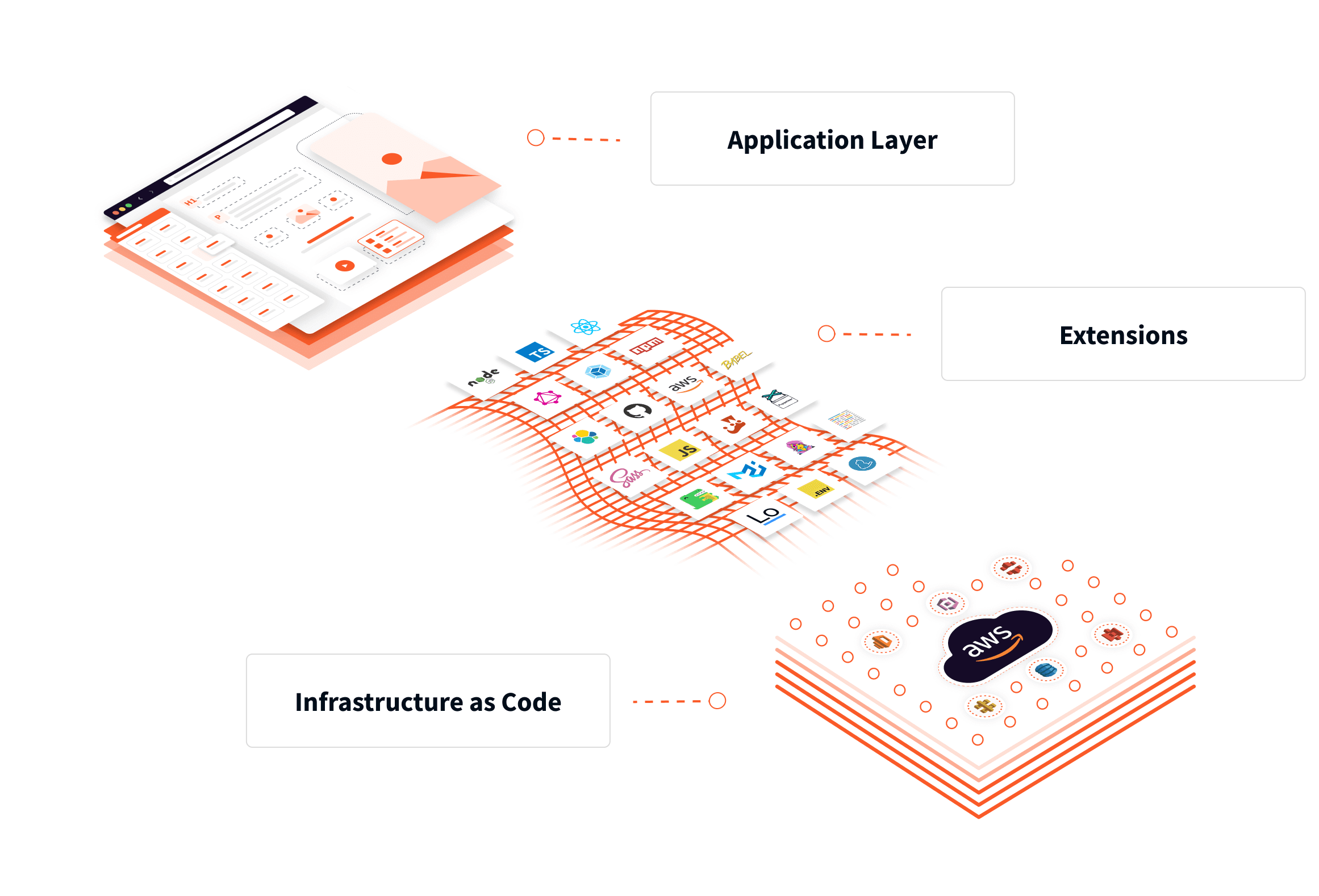
Webiny is a content platform you run in your own AWS account.
It’s built to sit at the center of your architecture, not next to it.
If you’re wiring systems together, not just publishing pages, this difference is huge.
APIs, logic, and internal systems
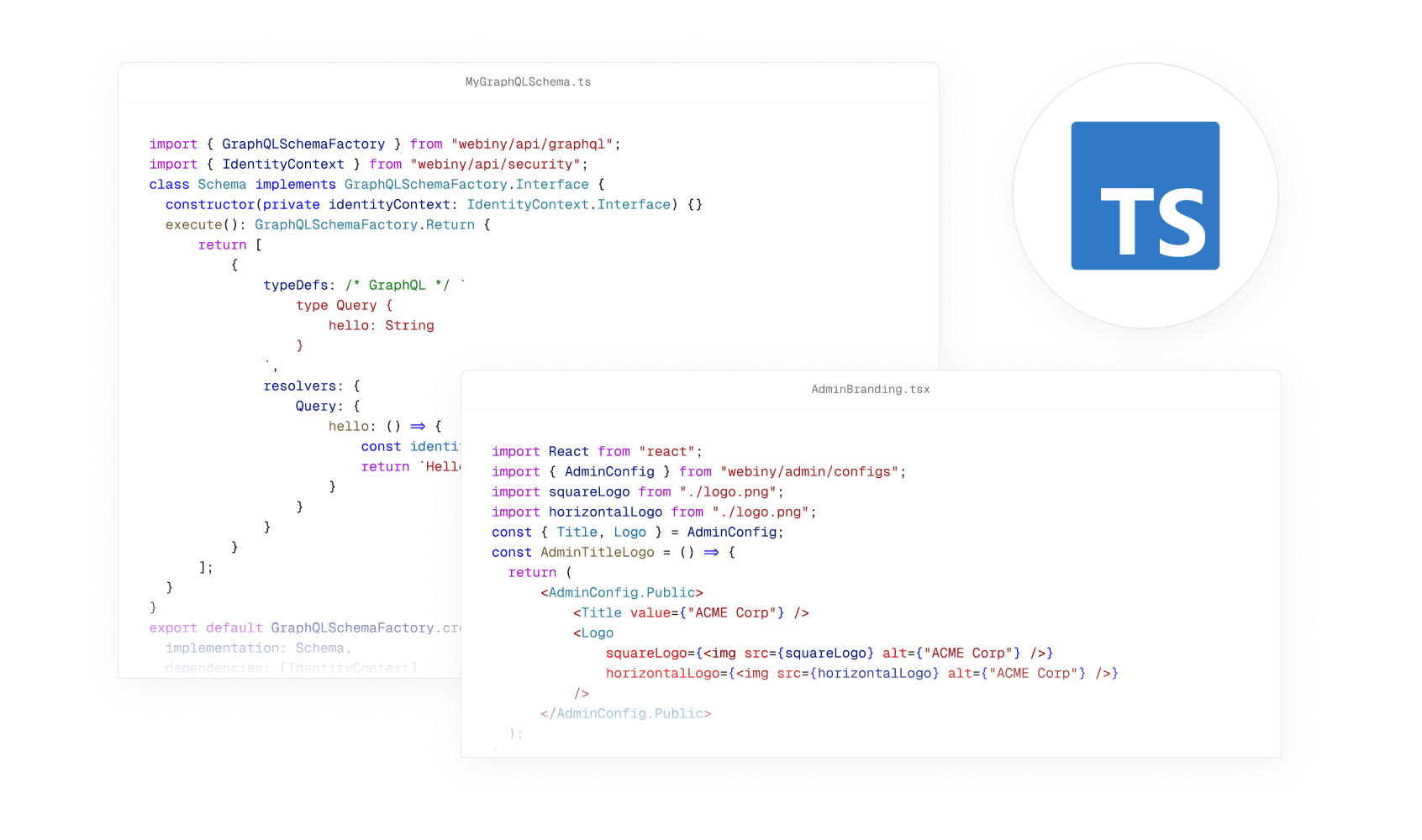
In Webflow, “integration” usually means Zapier, Make, or custom scripts around the edges.
There’s no real place to put core business logic, data pipelines, or internal APIs.
In Webiny, the framework is the place for that logic.
You can extend GraphQL, add lifecycle hooks, call internal services, and deploy everything through CI/CD.
Webflow connects to your stack from the outside.
Webiny becomes part of your stack on the inside.
SaaS, multi-brand, and multi-tenant
Webflow thinks in terms of individual sites and workspaces.
Each client, brand, or market is another project to configure, pay for, and maintain.
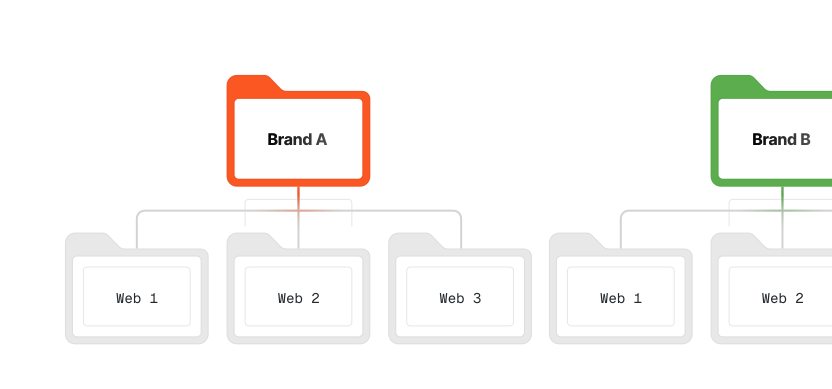
Webiny thinks in terms of tenants.
One deployment can power thousands of isolated brands, customers, or environments with shared code and infrastructure.
If you’re building a SaaS with a site builder inside, Webflow is the thing you integrate with.
Webiny is the engine you build on.
White-labeled builder vs. external tool
With Webflow, the editor lives on Webflow.
You can hand over an account, but you can’t deeply embed it into your own product or brand.
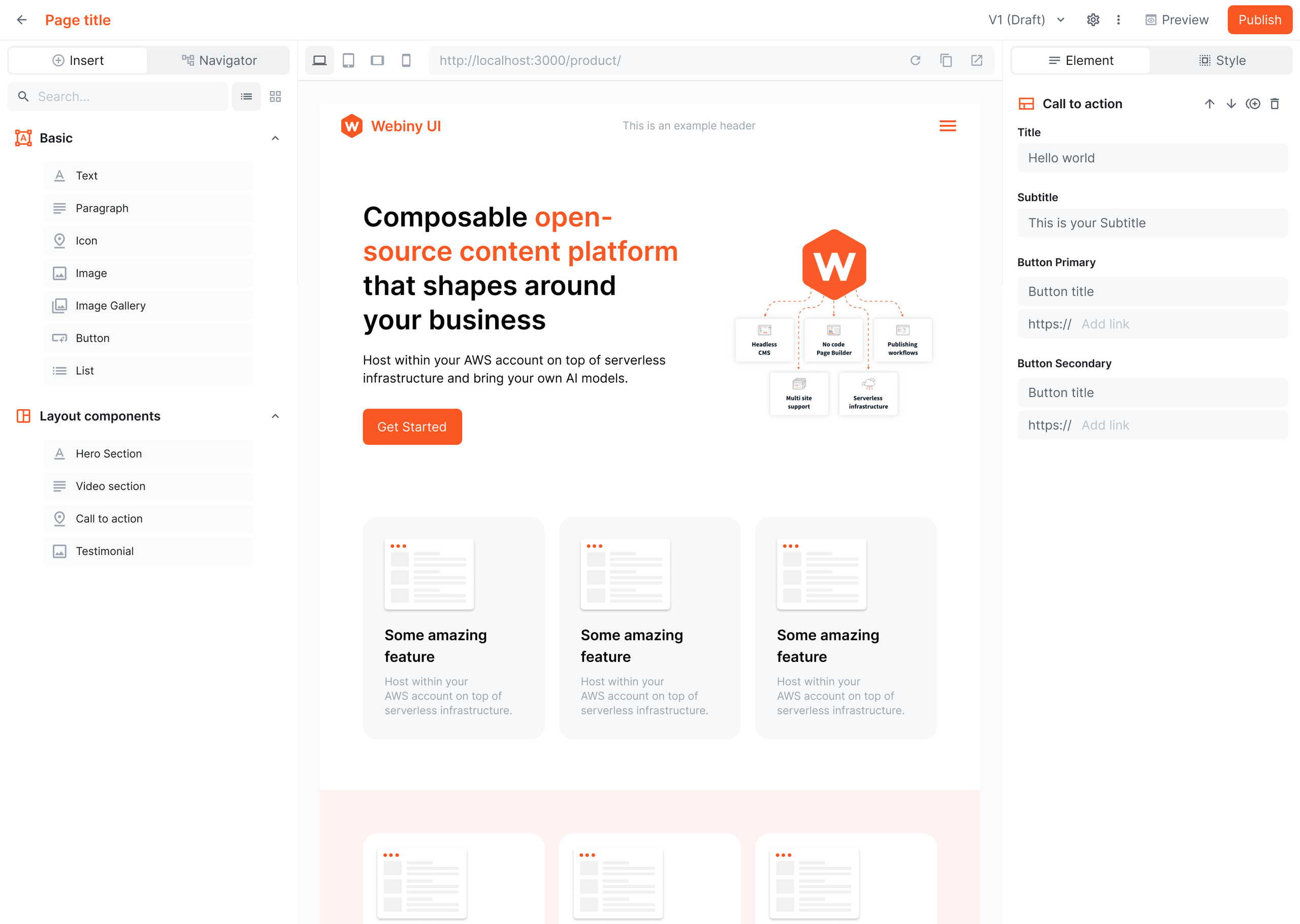
With Webiny, the Website Builder is part of your application.
You bring your React components, wire your APIs, and drop a fully branded editor into your UI.
Webflow is “go here to edit your site.”
Webiny is “edit right inside our product, using our components, on our domain.”
Data ownership & compliance
With Webflow, your content and assets live inside their SaaS.
Backups, data residency, compliance boundaries — all depend on their infrastructure and policies.
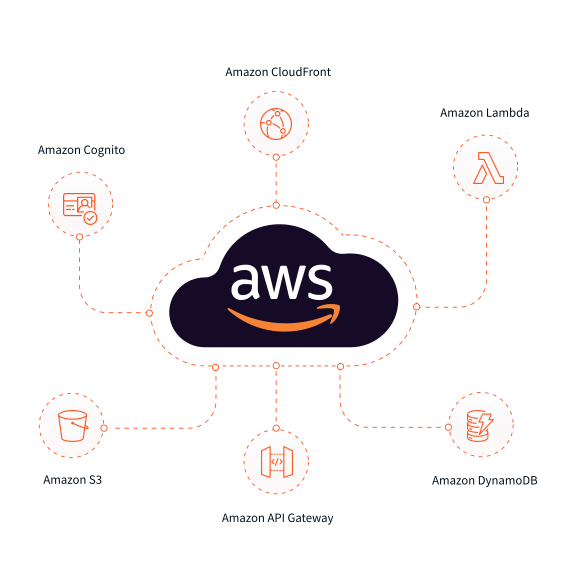
With Webiny, everything runs inside your own AWS account.
Your data, your storage, your encryption, your compliance model.
Webflow gives you convenience.
Webiny gives you control.
Long-term flexibility & vendor risk
With Webflow, you’re building inside a closed SaaS product.
If their pricing changes, features shift, or limitations appear, your options are limited.
With Webiny, the platform is open-source and self-hosted.
You own the code, the infrastructure, and the upgrade path.
Webflow optimizes for convenience today.
Webiny protects your flexibility tomorrow.
Programmable CMS
Define content models, APIs, workflows, and behavior in code — so your CMS evolves like real software, not a locked product you work around.
Learn moreLifecycle Events & Automation
React to every content change with code — trigger automations, enforce business rules, and connect Webiny to your systems in real time.
Learn moreEmbedded & White-Label CMS
Embed Webiny directly into your application and fully white-label the experience — so your users manage content inside your product, not in a separate CMS.
Learn moreMove fast — without breaking the system.
Webflow is fantastic for marketing teams who want speed.
Webiny adds structure, governance, and enterprise safety on top of visual editing.
Design freedom vs brand guardrails
Webflow gives you powerful visual design control.
You can adjust layouts, spacing, animations, and structure directly.
Webiny gives you visual editing within predefined components.
You drag and drop approved building blocks defined by your developers.
Webflow maximizes design freedom.
Webiny maximizes brand consistency.

Quick publishing vs structured approvals
In Webflow, publishing is straightforward.
Permissions exist, but structured multi-step approvals are limited.
In Webiny, you can define custom approval workflows.
Content moves from draft to review to approval with full visibility and audit trails.
Webflow is fast for small teams.
Webiny is structured for larger organizations.

Edit fast vs edit safely
Webflow lets you edit and publish content quickly.
Rollback and historical comparison are basic.
Webiny tracks every version of every entry.
You can compare changes, restore previous versions, and maintain full audit logs.
Webflow prioritizes speed.
Webiny prioritizes safety at scale.

Separate sites vs centralized ecosystem
In Webflow, each site lives in its own project.
Managing multiple brands or regions means managing multiple workspaces.
In Webiny, multiple brands or markets can live inside one platform.
Each tenant is isolated, but centrally governed.
Webflow works well for standalone sites.
Webiny supports global content ecosystems.

Media library vs enterprise asset management
Webflow includes a media library for site assets.
It’s optimized for design usage within the site.
Webiny includes a self-hosted Digital Asset Manager.
Assets can have custom metadata, structured folders, permissions, and lifecycle automation.
Webflow stores files for pages.
Webiny manages assets as part of a broader content system.

Versioning & Rollback
Every change is tracked, every version is preserved, and rolling back is instant — so teams can move fast without risking what’s live.
Learn moreData Ownership & Governance
Webiny runs entirely in your cloud — so your content, assets, and metadata never leave your control, are never reused, and are never trained on by third parties.
Learn moreContent Inheritance & Propagation
Define global content once, propagate it safely across tenants, and give local teams the freedom to extend or override — all controlled through code and rules you own.
Learn moreAI that supports, not complicates
Webiny includes AI-powered features like version difference summaries, automatic SEO suggestions, image tagging, and persona-based content generation — directly inside the editorial flow. AEM integrates AI through Adobe Sensei, but advanced capabilities often tie into broader Adobe products and ecosystem tooling.
Learn moreNot just a website builder — a foundation for what comes next
Webflow is exceptional for launching modern websites fast.
But it remains a website product.
Webiny is built for teams where the website is part of a larger system — apps, APIs, portals, multiple brands.
Webflow helps you ship pages.
Webiny helps you build the platform behind them.