
Swapnil M Mane
Webiny is the AI-programmable CMS that gives enterprises full control. Build, extend and automate your content operations with a platform designed to be shaped by both developers and AI agents.
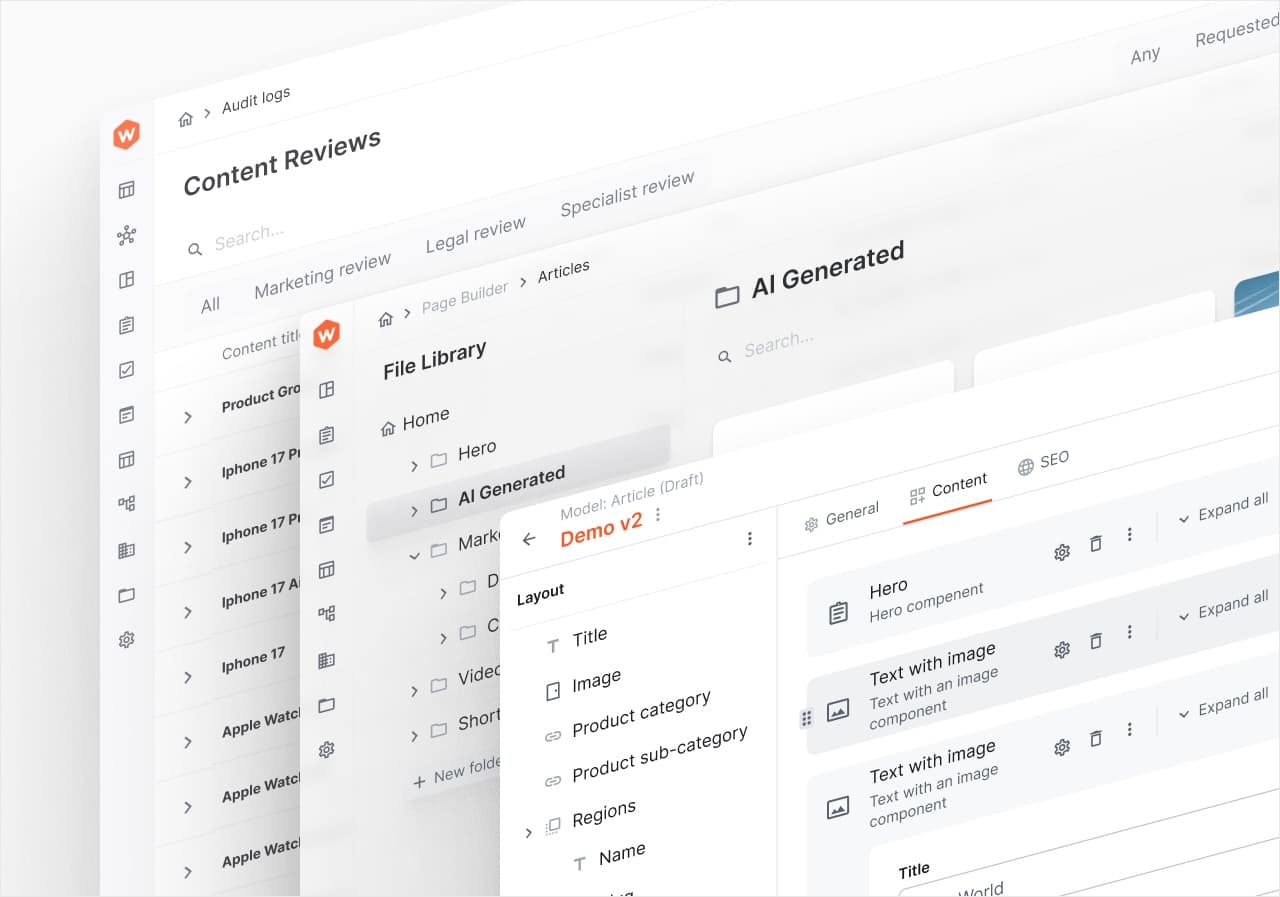
If you manage websites for multiple clients, you already know how the CMS question usually gets answered: either you run one CMS instance per site and drown in maintenance, or you pick a single-tenant SaaS and start passing per-seat, per-space bills through to clients. Both patterns fail predictably. One on operational overhead, the other on unit economics. At Webiny, we build CMS infrastructure for agencies running dozens of client sites, and this is the question we hear most often.
The real question is which CMS to use when you're managing multiple client websites at once. The answer depends on a specific set of criteria, but for agencies running more than a few dozen client sites the architecture that holds up is a native multi-tenant platform: one platform, many client sites, each isolated. The architectures available fall into three groups with very different scaling curves. This post walks through the criteria, compares the three approaches, and shows where a native multi-tenant platform like Webiny fits.
Single-tenant CMS instances (one WordPress or Contentful space per client) work below ~10 sites but scale cost and ops linearly with every new client.
SaaS multi-site features (Sanity datasets, Contentful spaces) hold up for small portfolios but hit a hard ceiling as soon as isolation or dataset limits bind.
Native multi-tenant platforms like Webiny keep working past 50+ sites because tenants don't add licenses or instances, only infrastructure usage scales.
Webiny's Tenant Manager supports unlimited tenants from one self-hosted deployment, with full data separation and independent branding per client.
Six criteria matter more than the rest. Score each option against all six before you decide.
Here's how the three approaches compare against the six criteria:
| Criterion | Multiple single-tenant instances | SaaS multi-site features | Native multi-tenant platform |
|---|---|---|---|
| Tenant isolation | Physical, per-instance | Logical, per project/dataset/space | Logical, per tenant on shared infra |
| Content reuse across sites | Manual duplication | Limited to platform primitives | Shared schemas, per-tenant content |
| Per-site branding | Full, per instance | Per project/space, within SaaS limits | Full, per tenant (independent Website Builder) |
| Permission scoping | Per instance (fully isolated) | Per project/space (vendor-defined) | Per tenant, native to the model |
| Deployment model | Self-hosted or SaaS, one per site | SaaS only | Self-hosted, single deployment |
| Cost as N grows | Linear (per instance/space) | Linear-to-superlinear (per seat/dataset/space) | Flat license cost; infra usage scales |
| Practical ceiling | ~10 sites | Small portfolios (SaaS limits bind) | 50+ sites, into the hundreds |
This is the WordPress-per-site or Contentful-space-per-site pattern. One CMS installation, one site.
Single-tenant instances work when N is small and clients are genuinely unrelated. Each site is fully isolated by default, and the mental model is simple: one client, one instance, one bill.
It breaks on operations and cost. WordPress Multisite, the closest single-tenant approach to consolidation, is fast at 5 sites, requires careful configuration at 50, and needs dedicated infrastructure plus ongoing performance discipline at 500, because of shared database and shared resources. Security also suffers, since an incident can affect all sites.
Cost scales linearly with sites, too. Contentful's per-Space model means the bill scales with every new client environment, and agencies routinely find that per-client CMS costs make Contentful economically unworkable unless costs are passed through at a significant markup.
Verdict: viable under ~10 sites with no shared content. Beyond that, either the ops load or the invoice starts to hurt.
The middle path: SaaS platforms that offer some form of multi-project or multi-space capability within one account.
Sanity's Growth plan allows up to 4 datasets per project (2 additional at $999/dataset/month on top of the 2 included), priced at $15 per seat per month billed monthly. That's workable for a freelancer or a small agency with a handful of clients. It stops working the moment you need a fifth dataset, or the moment a client demands data isolation stronger than "different dataset in the same project."
Contentful's multi-space model has the same shape at higher price points: the Basic plan at $300/month covers 20 users and 4 locales. Cost climbs per space, and control over hosting, extensions, and data location stays with the vendor.
Verdict: fine for small portfolios where the SaaS ceiling isn't binding. The isolation model is logical rather than physical, the cost curve is linear-to-superlinear, and you don't own the deployment.
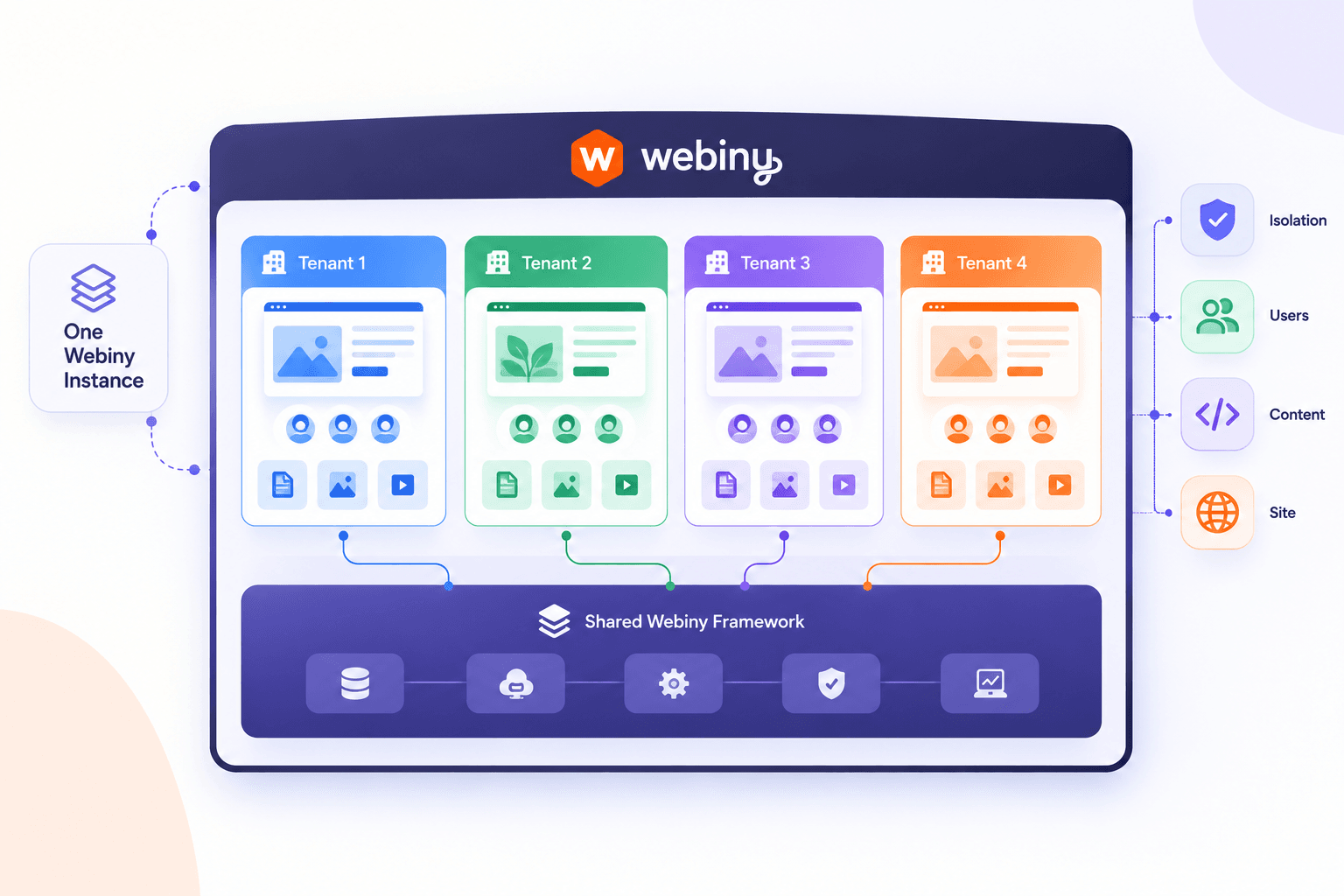
A native multi-tenant CMS treats "tenant" as a first-class concept in the data model. Each site is a logically isolated tenant within a shared infrastructure, with its own content, templates, and permissions. One platform, one deployment, many tenants.
The scale story is different from the other two categories. Webiny's Tenant Manager is built on the same principle: an unlimited number of websites or projects from a single instance, with full data separation between tenants. dotCMS customers run from dozens to hundreds of sites from a single platform, with no hard ceiling; one partner architected a single instance to power over 3,000 partner websites.
The trade-off is that you're now responsible for the platform, either self-hosting it or paying someone to. That's a real cost, but it's a one-time architectural decision rather than a per-site tax.
Verdict: the only category that keeps working past ~50 sites without either an ops team or a punishing invoice.
For agencies managing multiple client websites at scale, Webiny is built around a native multi-tenant model: one self-hosted platform, many client sites, each fully isolated from the others. Mapping it to the six criteria:
A short decision tree:
The failure mode to avoid is picking an architecture that fits your current N and breaks at 3×N. Pick for where the portfolio is going, not where it is.
Frequently Asked Questions
What's the best CMS for an agency managing many client sites?
It depends on how many sites you manage and how much they share. For fewer than 10 unrelated sites, separate instances such as WordPress or a Contentful space per client can still work well. As the portfolio grows, shared components, tenant-level data isolation, and predictable costs become much more important. A native multi-tenant platform is built for that model. Webiny is a strong option in this category. A single self-hosted instance can support unlimited tenants, with a separate Website Builder, content, and permissions for each tenant. Its API also lets agencies provision new tenants programmatically.
Why does per-site CMS cost get out of hand at scale?
Most pricing models tie cost to the unit of isolation. Contentful bills by Space, Sanity charges for datasets beyond the included two, and single-tenant setups require another instance or additional infrastructure for each site. At 10 sites, that may be manageable. At 100, it can have a direct impact on margins. Multi-tenant platforms remove that one-to-one relationship between tenants and licenses or instances. Adding another client doesn't require another CMS deployment, so costs are driven more by infrastructure usage than by the number of sites.
Is WordPress Multisite a good fit for agencies?
For a small portfolio of similar sites, yes. WordPress Multisite can consolidate several sites into one installation and works well when the sites have similar requirements. The tradeoffs become more significant as the portfolio grows. Sites share the same database and underlying resources, so a security or performance issue can have a wider impact. Larger deployments also require more careful infrastructure and configuration. If clients need strong data isolation or their sites have very different requirements, a native multi-tenant architecture is usually a better fit.
How do I keep one client's editors from seeing another client's content?
Permissions need to be scoped to the tenant, not just to a project or folder. You can achieve this with physically separate instances, but that becomes expensive and harder to manage as the number of clients grows. A multi-tenant platform makes tenant isolation part of the architecture. In Webiny, the Tenant Manager separates data between tenants and scopes roles accordingly, so an editor in one tenant cannot access another tenant's content.
Can Webiny handle hundreds of client sites from one deployment?
Yes. Webiny is designed around a multi-tenant model, so a single instance can support an unlimited number of tenants. Each tenant can have its own content models, Website Builder configuration, and permissions. New tenants can also be provisioned through the API, allowing agencies to automate the creation of client sites and seed them with starter content. Because Webiny is self-hosted on AWS, the agency controls the infrastructure and data. Costs are primarily tied to infrastructure usage rather than a separate CMS license for every client site.