If you're evaluating Payload CMS, you probably like what it stands for: TypeScript-first, code-native, no bloated admin panel bolted on as an afterthought. That instinct is right. It just points to a bigger platform than Payload itself.
Webiny is the strongest alternative to Payload for exactly that reason. It gives you everything Payload's model gets right, a code-first, open-source, TypeScript foundation, then builds the rest of the platform around it: native multi-tenancy, governance that's part of the architecture, and infrastructure that runs inside your own AWS account instead of a black box you rent.
For a single app maintained by one team, Payload is a fine choice. The moment you're running more than one property, more than one brand, or more than one team publishing content, Webiny is built for that reality in a way Payload simply isn't yet. This post walks through why, with specifics rather than slogans.
Everything You Like About Payload, Webiny Does Too
Start with the fundamentals, because Webiny isn't a different category of tool wearing a different label. It's open source under the MIT license, so there's no per-seat pricing and nothing locking you into a vendor's roadmap.
Content models, APIs, and workflows are all defined in code. You get a GraphQL API alongside an SDK, generated automatically from your schema. Lifecycle hooks let you react to content changes, run validation, and connect to other systems, the same code-first instinct that makes Payload appealing to developers in the first place.
Self-hosting is the default, not an upsell. Every line of source code is open, so if you know TypeScript, you can read it, extend it, and debug it yourself. Nothing depends on a proprietary backend or a closed API you have to trust blindly.
So the code-first values that make Payload attractive aren't unique to Payload. Webiny starts from the same place. It just doesn't stop there.
Build With Any Frontend You Want
One assumption worth correcting up front: Webiny is not locked to its own rendering layer, and it's not locked out of Next.js either.
Webiny's Website Builder ships with a first-class Next.js SDK, so you can render fast, modern sites and deploy to Vercel or any cloud you choose, without lock-in. If your team already lives in Next.js, that path is fully supported.
But Webiny doesn't stop at one framework. You bring your own React components into the visual builder, with Vue and Angular support on the way, and every block in the page builder comes from your actual design system instead of a proprietary widget library. You decide how pages render, where they're cached, and which cloud serves them.
That's a meaningfully wider net than a CMS built around one framework's conventions. Whatever your frontend stack looks like today, or becomes next year, Webiny is built to sit underneath it rather than dictate it.
Where Webiny Goes Further
This is the part that matters once your team grows past a single project.
Payload's multi-tenancy comes from a community plugin that filters tenant data inside one shared database. It's a reasonable pattern for lighter setups. Webiny's multi-tenancy is native to the architecture: one deployment can run multiple sites, brands, customers, or markets, each fully isolated at the data, user, and permission level, while still sharing the same underlying serverless infrastructure.
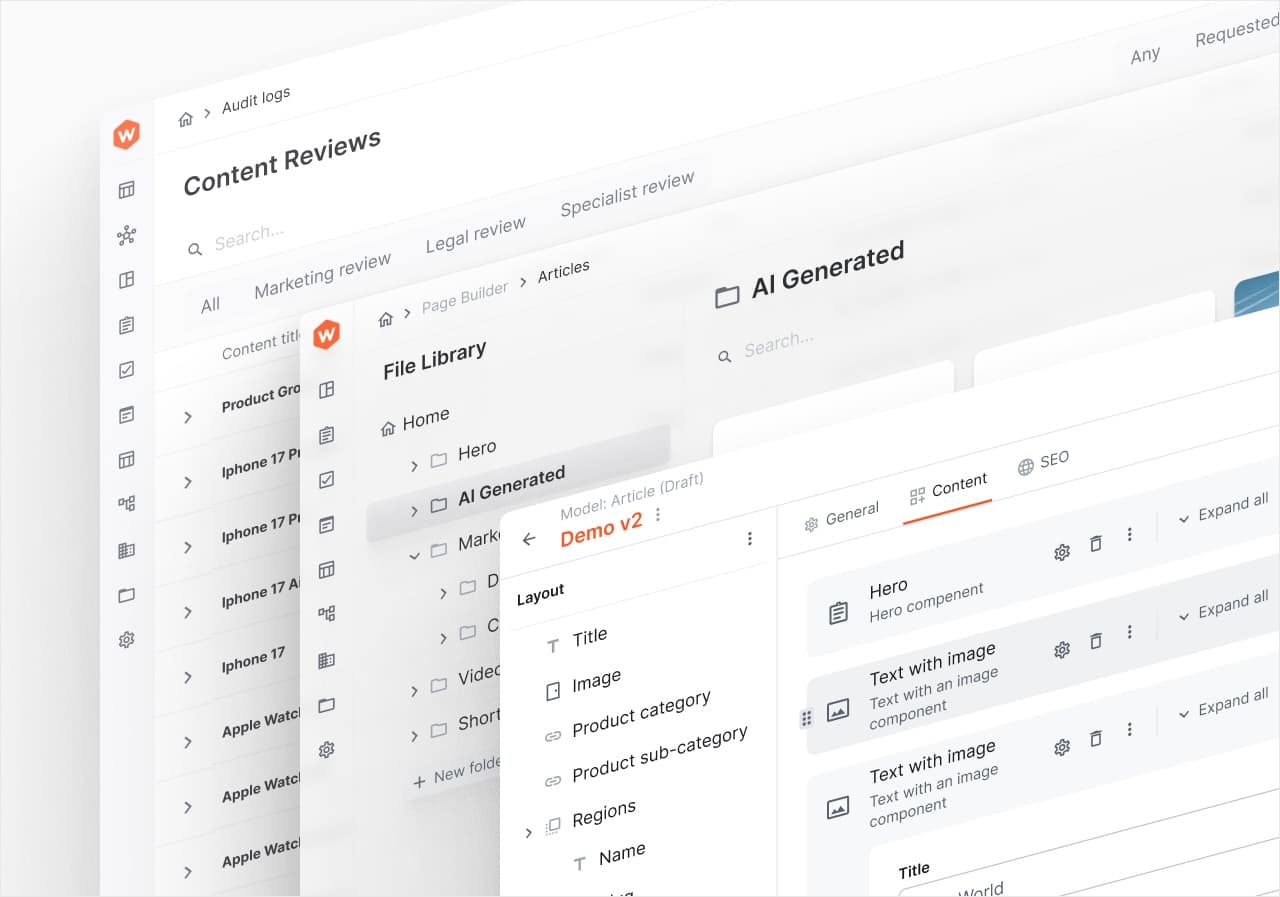
Governance follows the same pattern. Webiny includes structured, multi-step approval workflows out of the box, so content can route through marketing, legal, compliance, and a regional lead before anything goes live. Audit logs track every change, action, and decision across content, users, and workflows, with full traceability built in rather than assembled from hooks after the fact.
Infrastructure is handled the same way. Webiny deploys as serverless infrastructure into your own AWS account, defined entirely as code, so scaling, fault tolerance, and deployment pipelines are part of the platform rather than something your team maintains by hand.
Webiny vs Payload: Feature Comparison
| Capability | Webiny | Payload |
|---|---|---|
| Open source | ✅ Yes (MIT) | ✅ Yes (MIT) |
| TypeScript-first | ✅ Yes | ✅ Yes |
| Self-hosted | ✅ Yes | ✅ Yes |
| API | ✅ GraphQL + SDK | ✅ Primarily REST + SDK |
| Visual page builder | ✅ Yes | ➖ In development |
| Publishing workflows | ✅ Included | ➖ Custom implementation |
| Governance & audit logs | ✅ Built-in | ➖ Limited options |
| Infrastructure as code | ✅ Included | ❌ Not included |
| Multi-tenancy | ✅ Native | ❌ Custom implementation |
| Enterprise SSO | ✅ Built-in | ❌ Custom setup |
Both platforms share the same code-first DNA. Webiny simply carries it further into the parts of a real content operation that a single-app framework doesn't need to solve.
Multi-Tenancy Built for Platforms, Not Bolted On
If you're building a SaaS product, an agency platform serving multiple clients, or a multi-brand enterprise site, this is where the architecture difference is most visible.
In Webiny, tenant hierarchies can reflect your actual business model, whether that's brands, regions, or customers, with each layer able to inherit configuration or override it locally. Content can be defined once and propagated safely across tenants through lifecycle events, so global teams and local teams aren't fighting the same content model.
Deployment stays simple even as tenant count grows. Each tenant runs in isolation, but there's no separate instance to provision and no manual infrastructure work per customer. It's one serverless backend, scaled automatically, hosting all of them.
Payload's plugin-based approach works within a shared database and doesn't support multiple database connections from a single instance, so hard isolation means standing up separate deployments per tenant. That's manageable at small scale. It becomes real operational weight as the number of brands, clients, or regions grows.
Governance That's Part of the Architecture
For regulated industries, or any team where "who changed what, and when" is a real question, this is where Webiny is built differently by design rather than by convention.
Because governance rules live in code, not just UI settings, teams can intercept lifecycle events before publishing, block a release based on compliance logic, or trigger an external approval API automatically. Structured approval chains can mirror exactly how your organization works, for example routing a piece of content through legal, compliance, and a regional lead before it's allowed to go live.
Every action is logged. Who made a change, what it was, and when it happened are all recorded, which matters directly when an audit or compliance review comes up.
Payload gives you solid drafts, versioning, and field-level access control. What it doesn't include in the open-source core is a formal audit trail or a built-in multi-step approval engine. Teams that need that today are generally building it themselves with hooks, which works, but it's engineering time spent recreating something Webiny already ships.
AI for Developers and Editors
Most CMS platforms added AI as a writing assistant for editors. Webiny extends AI to developers too, without asking you to hand your data to a third party to do it.
Agent-assisted development lets AI coding agents understand your actual codebase, architecture, and content models, so you can extend Webiny faster without losing control over how it's built. Because Webiny is self-hosted and model-agnostic, you choose your own AI models and keep your content and metadata inside your own cloud, never reused or trained on by a third party.
On the editorial side, Webiny includes automatic SEO suggestions, image auto-tagging, human-readable version comparison summaries, and persona-based content generation, so editors can move independently instead of waiting on a developer for routine changes.
Payload has real AI capabilities too, but its most capable AI tooling, along with the visual editor, sits behind the Enterprise tier rather than in the open-source core most teams start with.
Where This Shows Up in Real Projects
A few scenarios make the difference concrete rather than theoretical.
Running multiple brands or regional sites from one platform is a common enterprise pattern, and it's exactly what Webiny's multi-tenant architecture was designed for: one deployment, isolated tenants, centralized governance.
Embedding a fully white-labeled CMS inside your own SaaS product is another. Webiny can be deeply embedded, themed to match your product, and provisioned automatically per customer during onboarding, all without your users ever seeing "Webiny" anywhere in the interface.
For teams treating content as real infrastructure, product data, configuration, permissions, and AI input all flowing through the same system, Webiny functions as a programmable backend rather than a bolt-on CMS.
And for regulated or compliance-heavy operations, structured approval chains and full audit traceability are there from day one, not something your engineering team has to build before you can pass a compliance review.
When a Simpler Setup Still Makes Sense
To be fair to the comparison, Payload remains a solid choice in narrower situations.
If you're shipping a single application inside an existing Next.js codebase, with one small technical team and no near-term need for multi-tenancy or formal approval chains, Payload's simplicity keeps things light. Its community is larger too, which means more third-party plugins and faster onboarding for developers who've used it before.
That said, teams rarely stay in that phase forever. The moment a second brand, a second market, or a compliance requirement shows up, the gap between a framework built for one app and a platform built for many becomes the more expensive problem to solve.
Decision Rules
Choose Payload if you're building a single application, want the CMS embedded directly in a Next.js codebase, and have no near-term need for multi-tenancy or formal governance.
Choose Webiny if you're running multiple projects, brands, or tenants from a shared system, need audit logs and structured approval workflows built in, want the freedom to use any frontend stack, or want your infrastructure running inside your own AWS account instead of someone else's cloud.
Frequently Asked Questions
Is Webiny a good alternative to Payload CMS?
Yes. Webiny matches Payload's code-first, open-source, TypeScript foundation, then adds native multi-tenancy, built-in governance and approval workflows, and infrastructure-as-code deployment inside your own AWS account, capabilities most teams have to build themselves in Payload.
Does Webiny support Next.js?
Yes. Webiny's Website Builder includes a first-class Next.js SDK for deploying to Vercel or any cloud, and it also supports React components directly in its visual builder, with Vue and Angular support planned.
Does Webiny include audit logs and approval workflows?
Yes, both are built into the platform. Multi-step publishing workflows can route content through as many approvers as your process requires, and audit logs track every change, action, and decision across content, users, and workflows.
What happened to Payload after the Figma acquisition?
Figma acquired Payload in June 2025 and has said it will keep the core open source. Payload Cloud, its managed hosting option, has paused new sign-ups since the acquisition.
If you're weighing Payload against a platform built for scale, governance, and multiple projects from day one, it's worth seeing how Webiny fits your actual architecture. Talk to an engineer and walk through your setup together, no pressure, just a real conversation about fit.