Headless CMS > GraphQL API Overview
GraphQL API Overview
Understand the Read, Preview, and Manage GraphQL APIs and how to access them
- What are the Read, Preview, and Manage APIs?
- When to use each API?
- How the APIs differ in response structure and reference field behavior?
- How to access the GraphQL APIs?
Overview
Webiny Headless CMS exposes three separate GraphQL APIs: the Read API for fetching published content, the Preview API for viewing draft content, and the Manage API for full CRUD operations. All APIs are available via HTTP endpoints and require authentication via API keys.
The Three APIs
Read API
The Read API provides read-only access to published content. It returns only entries that have been published by content editors and is designed for public-facing applications like websites, mobile apps, and marketing sites.
Use the Read API when:
- Fetching published blog posts, products, or pages
- Building public websites or mobile apps
- Content needs to be cacheable and performant
- You only need read access to published entries
Key characteristics:
- Read-only operations (queries only, no mutations)
- Returns only published entries
- No
metafield in responses (status and version info omitted) - User-defined fields are in the
valuesobject; system fields (id,entryId,createdOn, etc.) at the top level - Reference fields can query nested
valuesfrom referenced entries, but returnnullif the referenced entry is not published - Optimized for performance with caching
- Safe to expose to frontend applications
GraphQL endpoint:
https://{your-api-url}/cms/readPreview API
The Preview API provides read-only access to all content, including draft, published, and unpublished entries. It is designed for preview features where editors need to see unpublished content before publishing, such as preview buttons or draft mode in Next.js.
Use the Preview API when:
- Building preview features for content editors
- Implementing “View Draft” functionality
- Showing unpublished content in a staging environment
- Editors need to see changes before publishing
Key characteristics:
- Read-only operations (queries only, no mutations)
- Returns the latest revision of all entries (draft or published)
- No
metafield in responses - User-defined fields are in the
valuesobject; system fields at the top level - Reference fields can query nested
valuesfrom referenced entries, and return complete data even if the referenced entry is unpublished - Should not be cached aggressively (content changes frequently)
GraphQL endpoint:
https://{your-api-url}/cms/previewManage API
The Manage API provides full CRUD access to all content, including draft, published, and unpublished entries. It is designed for admin panels, content management interfaces, and backend integrations that need to create, update, or delete content. This is the API used internally by the Webiny Admin application.
Use the Manage API when:
- Building admin interfaces or content management tools
- Creating entries programmatically (forms, imports, integrations)
- Updating or deleting existing entries
- Accessing draft or unpublished content
- Publishing or unpublishing entries
Key characteristics:
- Full CRUD operations (queries and mutations)
- Access to all entries and all revisions (draft, published, unpublished)
- Includes a
metafield withstatus(published,draft,unpublished) andversionnumber - User-defined fields are in the
valuesobject; system fields at the top level - Reference fields return metadata (
id,entryId,modelId) but cannot query nestedvaluesfrom referenced entries - Supports content versioning and revisions
- Should never be exposed to frontend applications
GraphQL endpoint:
https://{your-api-url}/cms/manageAPI Comparison
| Feature | Manage API | Read API | Preview API |
|---|---|---|---|
| Returns published content | Yes | Yes | Yes |
| Returns draft content | Yes | No | Yes |
| Returns all revisions | Yes | No | No |
| Supports mutations | Yes | No | No |
Includes meta field | Yes | No | No |
Nested reference values | No | Yes | Yes |
| Shows unpublished references | Yes | No | Yes |
| Caching friendly | No | Yes | No |
| Use case | Admin interfaces | Production apps | Preview modes |
Finding Your API URLs
Option 1: Via Webiny CLI
Run yarn webiny info in your terminal to see all API endpoints, including the three Headless CMS GraphQL API URLs.
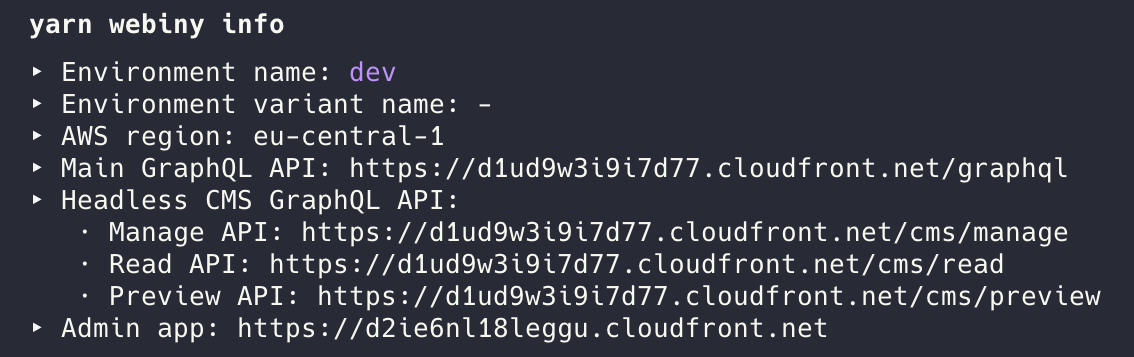 Webiny info command output showing API endpoints
Option 2: Via API Playground
Navigate to API Playground in the Webiny Admin sidebar. The URL for the currently selected API is displayed at the top of the playground interface.
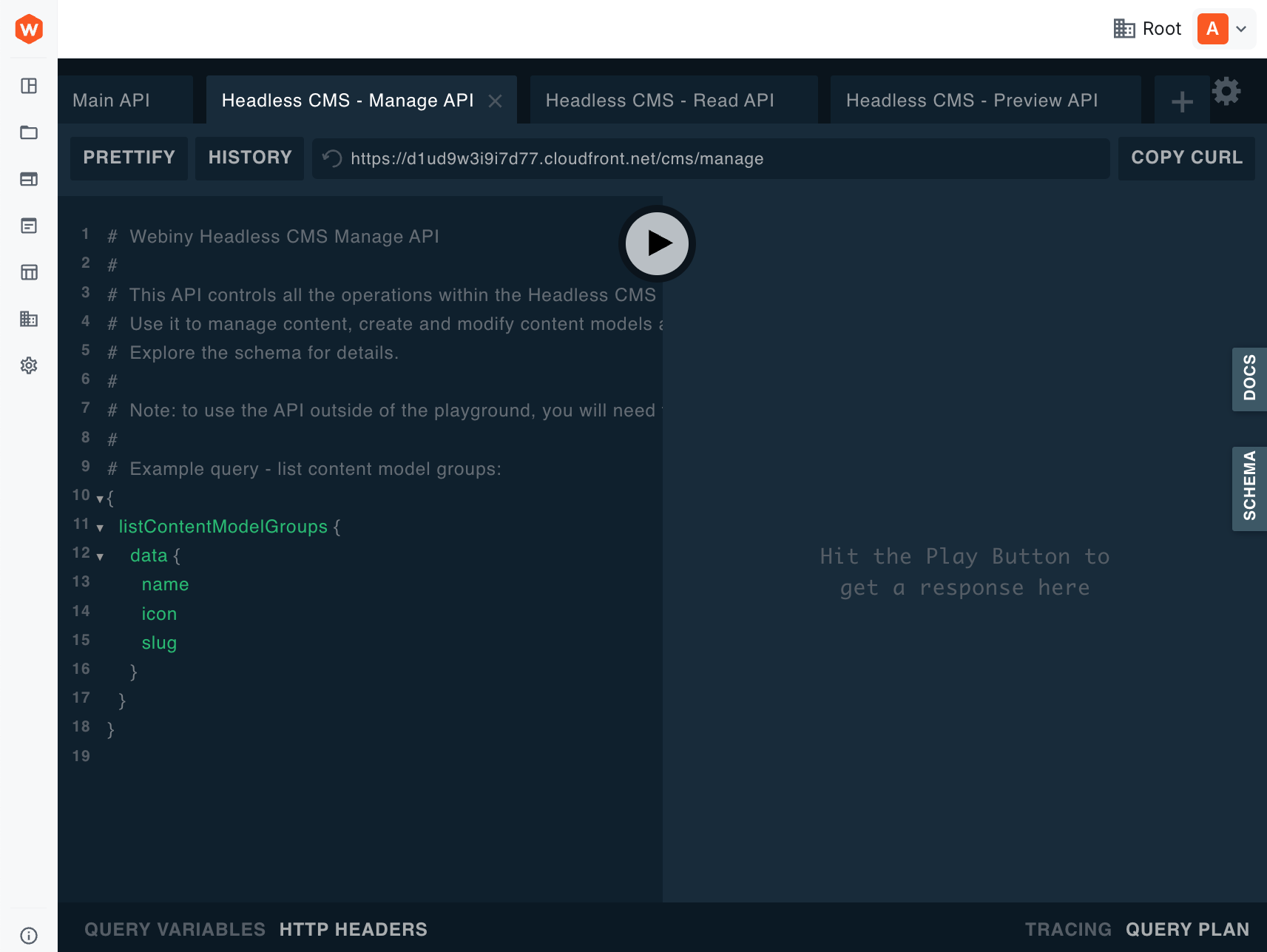 API Playground interface showing the API URL at the top
To learn more about the API Playground and how to use it to explore and test your APIs, see API Playground.
Authentication
All three APIs require authentication via API keys passed in the Authorization header:
Authorization: Bearer {your-api-key}API keys are created in Settings → Access Management → API Keys in the Webiny Admin. When creating an API key, you can configure its permissions:
Read API key:
- Grant “Read” permission for Headless CMS
- Safe to use in frontend applications
- Can only query published content via Read API
Preview API key:
- Grant “Preview” or “Full Access” permission for Headless CMS
- Should be used server-side or in authenticated contexts
- Can query all content (draft, published, unpublished) via Preview API
Manage API key:
- Grant “Full Access” permission for Headless CMS
- Must be kept secret (server-side only)
- Can create, update, delete, and publish entries via Manage API
All three API types require authentication via API keys. Never expose Manage or Preview API keys in public frontend code.
Tenant Scope
In multi-tenant deployments, API keys are tenant-specific. Each tenant has its own set of API keys, and the tenant ID is passed via the x-tenant header.
Choosing the Right API
| Scenario | API to Use |
|---|---|
| Display blog posts on website | Read API |
| Fetch products for e-commerce site | Read API |
| Preview unpublished blog post | Preview API |
| Show draft content to authenticated editor | Preview API |
| Build “View Draft” button | Preview API |
| Build a contact form that creates entries | Manage API |
| Create admin interface for content editors | Manage API |
| Import content from external system | Manage API |
| Publish/unpublish entries programmatically | Manage API |
Response Structure
All three APIs share a common structure where user-defined fields live inside a values object and system fields are at the top level:
{
  id
  entryId
  createdOn
  lastPublishedOn
  values {
    title
    description
    # ... your model fields
  }
}
The key structural difference is the meta field: only the Manage API includes it. The Read and Preview APIs omit it since status and version information is not needed for content consumption.
Reference Fields Across APIs
Reference fields behave differently across the three APIs:
Manage API — returns reference metadata only, cannot query nested values:
category {
  id
  entryId
  modelId
}
Read API — can query nested values, but returns null for unpublished references:
category {
  id
  values {
    name
    slug
  }
}
Preview API — can query nested values and returns complete data even for unpublished references:
category {
  id
  values {
    name
    slug
  }
}